Talqui
How to turn a validated platform into a product that grows without starting over on every screen.
After the business was validated with an initial experience, I helped turn Talqui into a platform with its own identity, a scalable design system and a documented foundation to keep growing.
Overview
From business validation to a platform ready to grow
As a startup, Talqui needed to validate the business quickly. The first experience prioritized learning from the market before investing in a complete product language and a scalable foundation.
Once the business showed potential and the platform gained new features, that foundation started to limit consistency, maintenance and product evolution. The project was to turn the validated experience into a platform with its own identity, design tokens, reusable components and documentation.
Challenge
Growing fast without turning every screen into an isolated decision
The platform had no design standards or shared documentation, which made consistency, maintenance and collaboration with the development team harder. The challenge was to create that reference foundation while the product kept evolving.
Strategy
A migration in waves kept the product moving
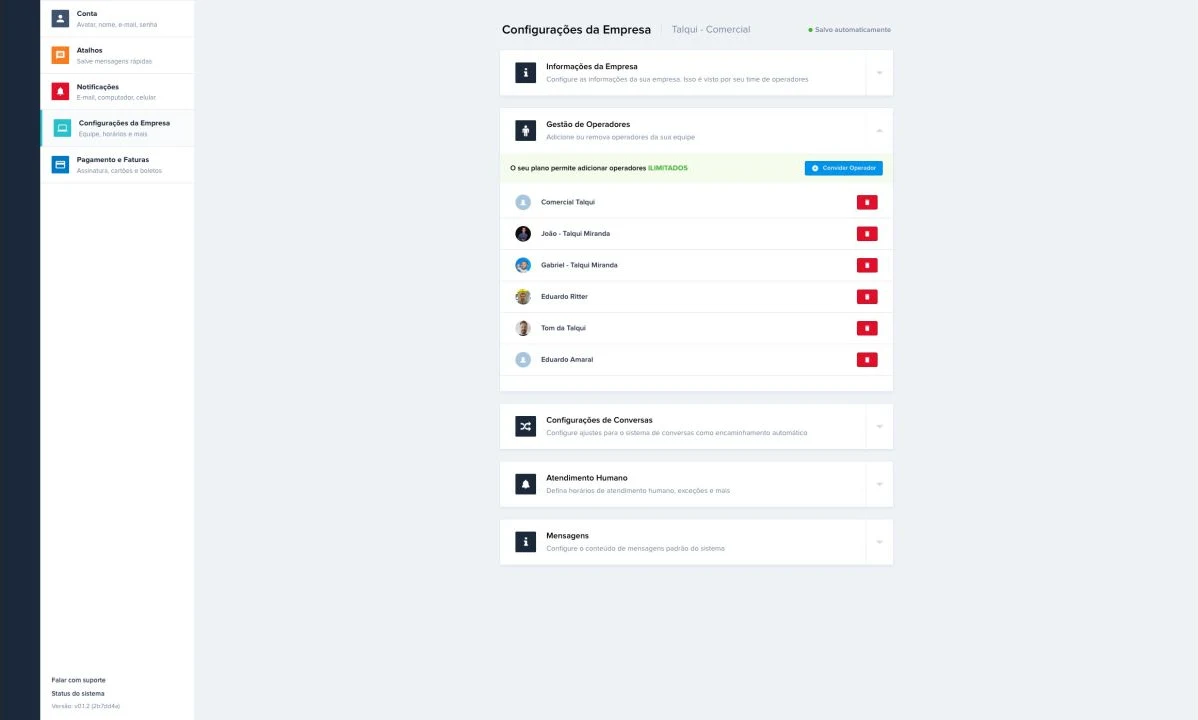
We didn’t move the whole platform to the new UI at once. We started with the external areas, like login and sign-up, then moved on to the sidebar, extensions, conversations, campaigns, message templates and settings.
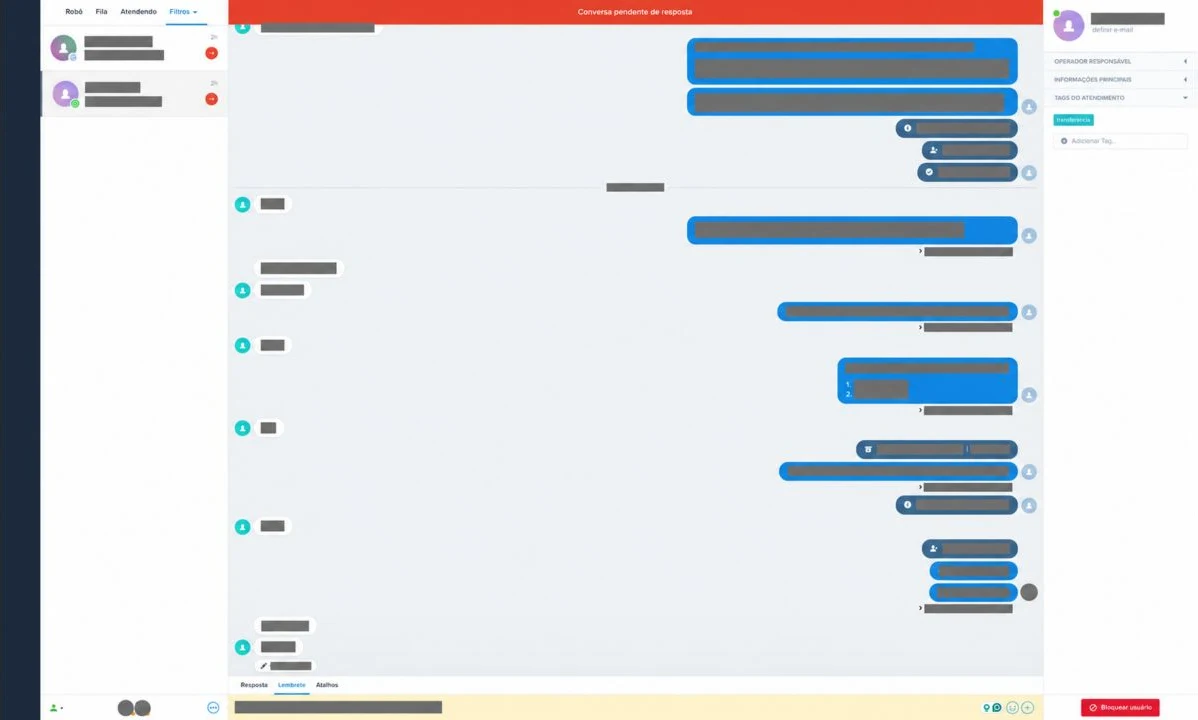
New features and feedback reshuffled priorities along the way. The inbox came later because it held the most complex components: conversations, user information, interaction states and the relationships between them.
Evidence-driven evolution
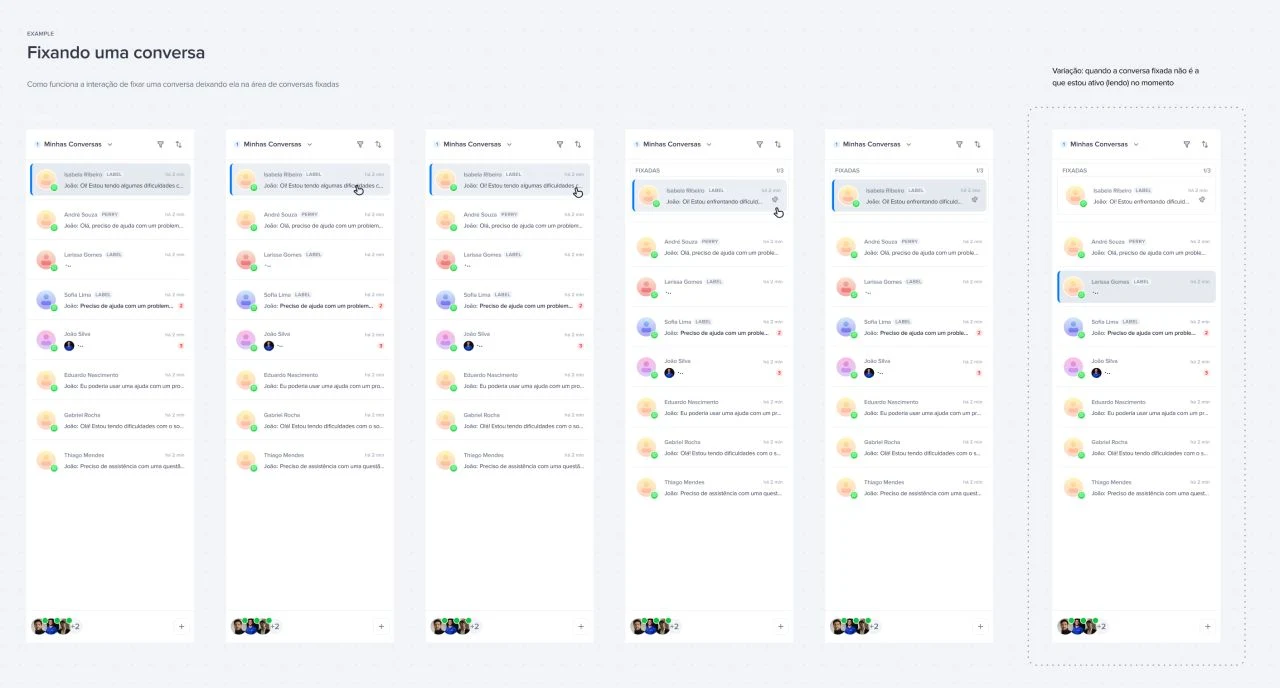
The sidebar that became more than navigation
Input from the CS team showed that users wanted to create and manage their own inboxes inside the sidebar. We revised the structure to support custom inboxes and the new states that came with them, and navigation started to reflect the user’s real work.
Foundations
Design Tokens, base components and documentation
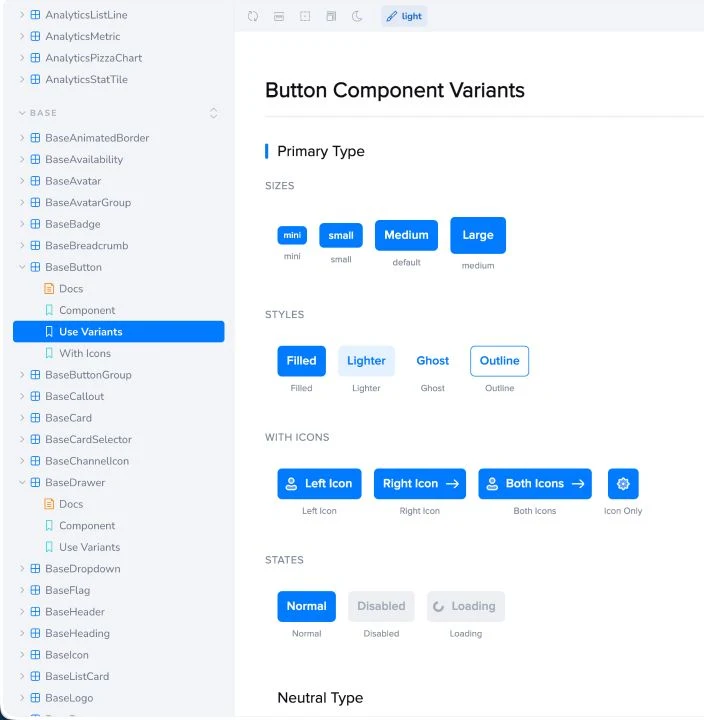
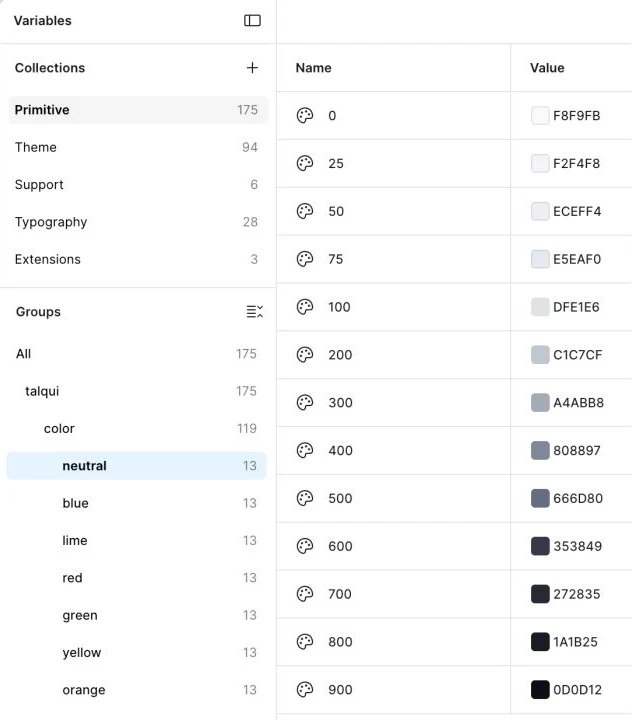
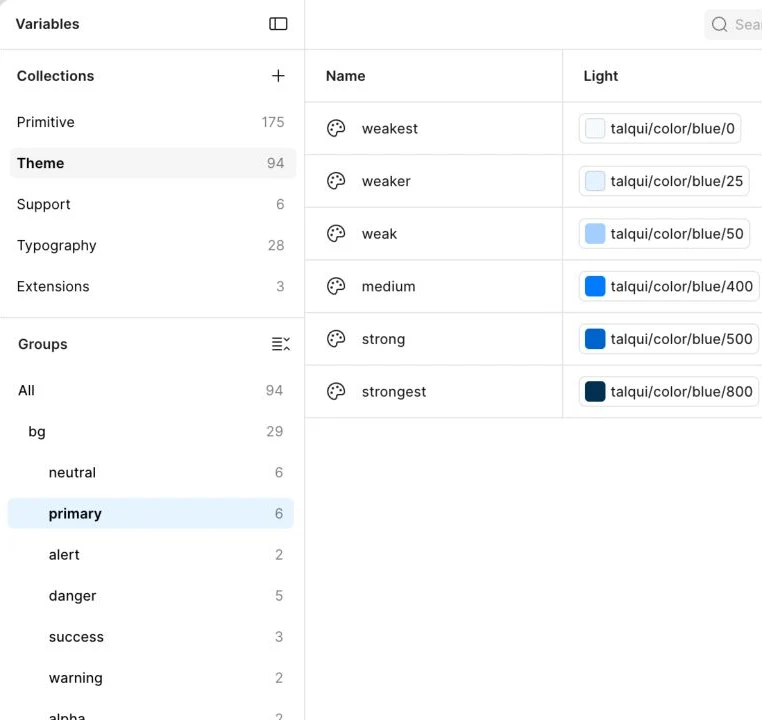
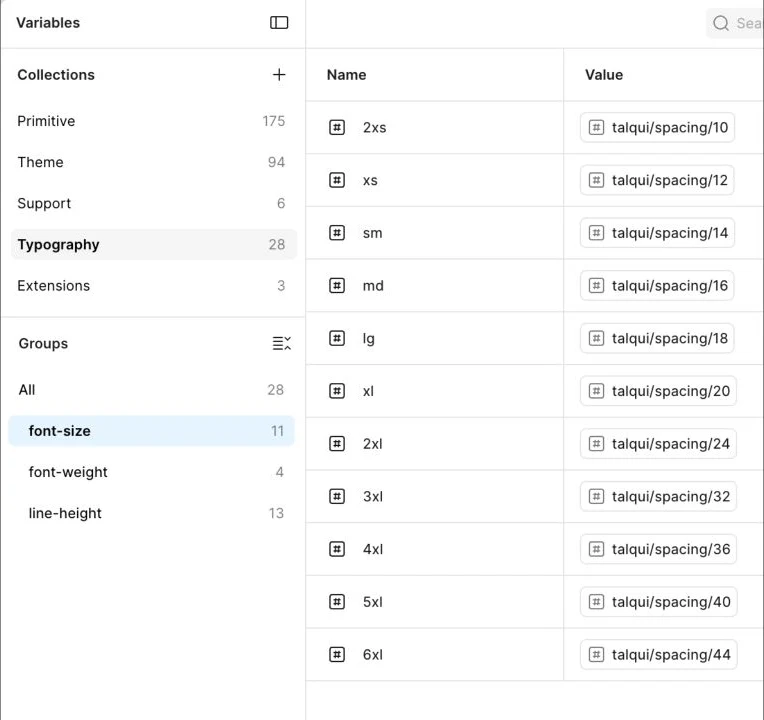
I defined primitive and semantic tokens to preserve the brand and make changes safer and easier to maintain. The documentation connects Figma decisions to implementation and gives the team a shared reference for creating new flows.
Components
From base to app components
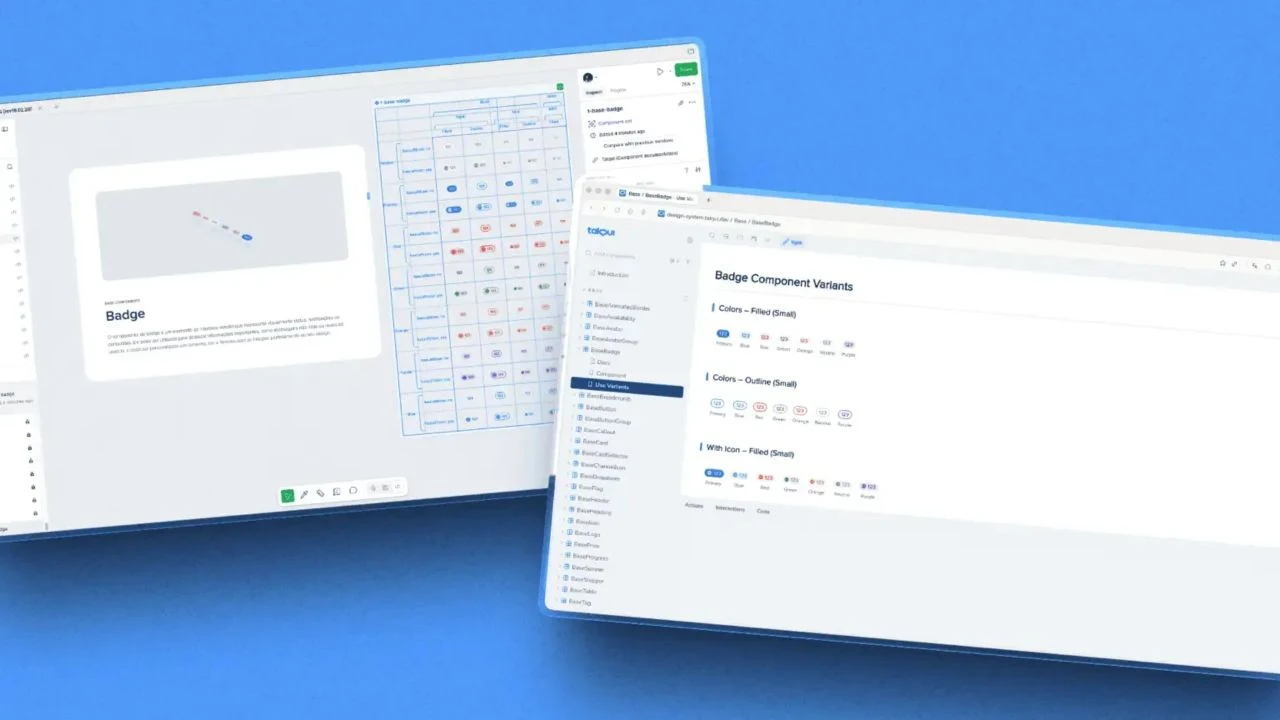
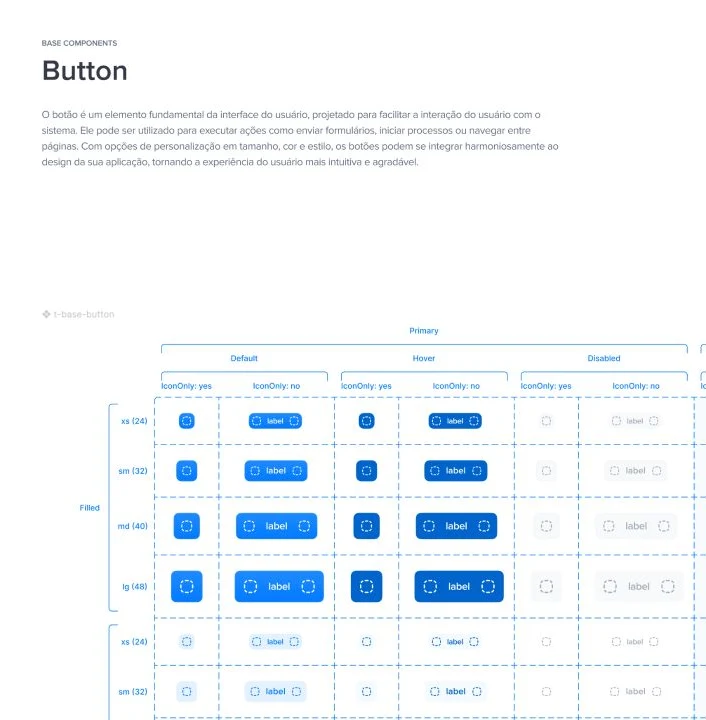
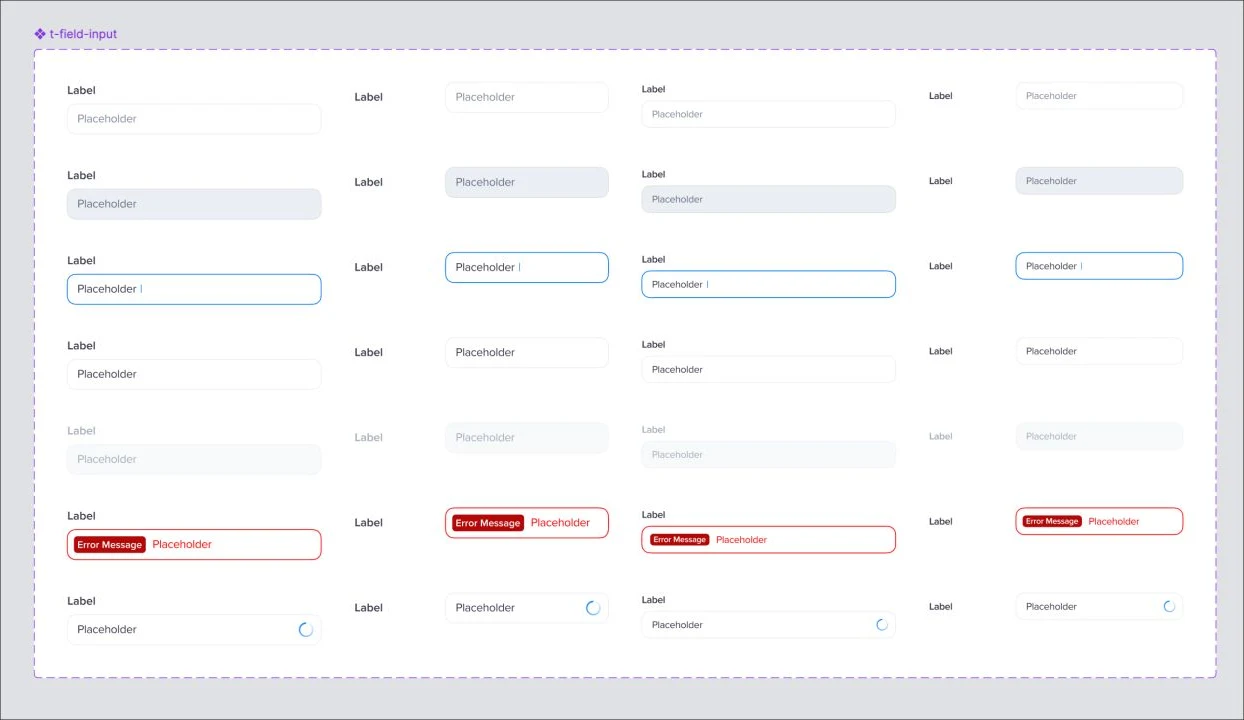
With the tokens defined, the base components followed, like buttons and inputs. While building them, we realized some things in Figma couldn’t be reproduced faithfully in code, which led to adaptations. We used the DesignDoc and Propstar plugins to document and present each component to the development team.
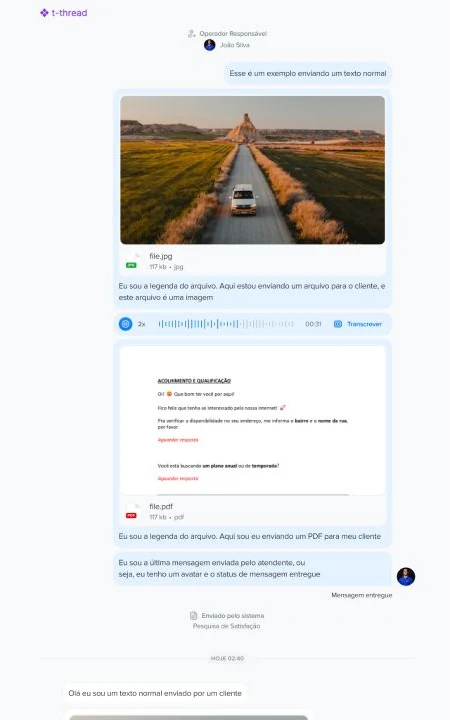
Combined with Talqui’s real needs, the base components became app components: messages, threads, the text box and the daily work of customer support.
Results
A documented, adopted and evolving system
Adoption isn’t 100% yet because not all of the platform has been migrated. As the product evolved, we revised the type and icon scales when the interface felt visually oversized, and the system now supports new AI-focused product initiatives.
A Design System isn’t the finish line. New versions, revisions and improvements are constant: it’s a never-ending project.